PDQ.com
Live Shell & File Explorer
Run commands and move files without remoting in.
Timeline
June–September 2026
Role
Product Designer
Team
1 Designer, 1 PM, 3 Engineers
Overview
Live Shell and File Explorer let IT admins run commands and move files on a device straight from PDQ Connect, without remoting in and without the person at the desk ever seeing it. Admins had been asking for this for over a year, usually by naming a competitor's feature they couldn't leave behind. I designed both features end to end, from where they live in Connect to what a session does when the connection drops. Both are in early access now, with 2,365 admins launching a shell session and 2,276 opening File Explorer.
The Challenge
Customers kept naming ScreenConnect's Backstage mode as the reason they couldn't switch to PDQ Connect. 24 entries in our customer feedback data called it out directly. Engineering already had a working hackathon prototype, so the question wasn't whether we could build it. The hard parts were design problems: the device page had no room for new features, a shell session runs over a connection that can drop at any moment, and admins would judge File Explorer against Finder and Windows Explorer, tools a v1 could never match.
The Solution
Instead of copying Backstage mode, we skipped the remote session entirely. I gave live tools their own home on the device page, so anything you actively do on a device opens on top of the page instead of getting buried in the menu. Live Shell treats its connection as something that can change, with a designed state for connected, reconnecting, offline, and failed. File Explorer ships the actions admins needed on day one and leaves the rest of Finder behind.
Process
How I Got There
Users wanted "Backstage" mode. We had a different idea
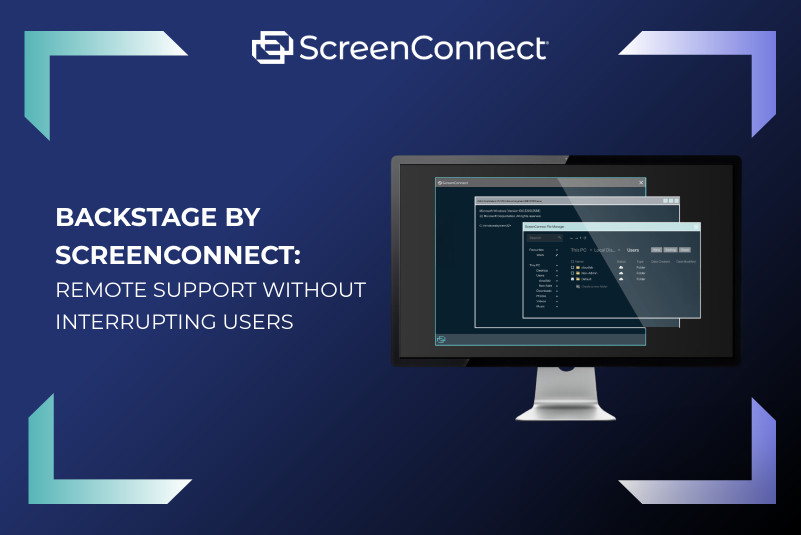
Backstage mode remotes into a device in a hidden session so the end user isn't interrupted. When I dug into the customer calls, the remote session was never the point. One admin on a customer call said they just wanted to "make the change and then be like, it's fixed, or they don't even know it's fixed." So the goal became giving admins what Backstage gets them, a command line and a file system, without remoting in at all.
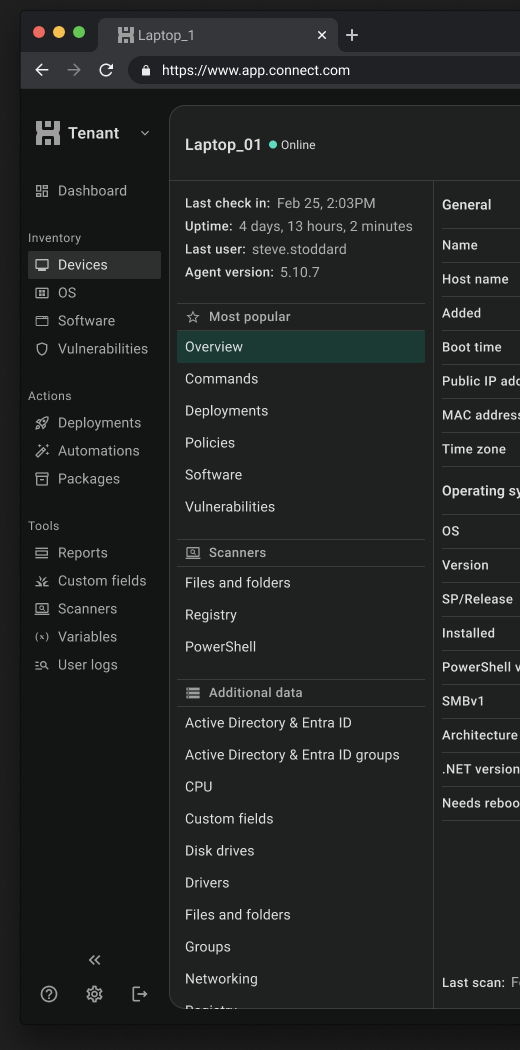
Device page was a misc. drawer
Two new features needed a home, and the obvious spot was the device page's left menu. The problem was that everything already went there. Processes had just been pushed to the top of the list because people used it so much, and I flagged that we couldn't keep adding tabs forever. Two more would make the page worse for every feature on it.
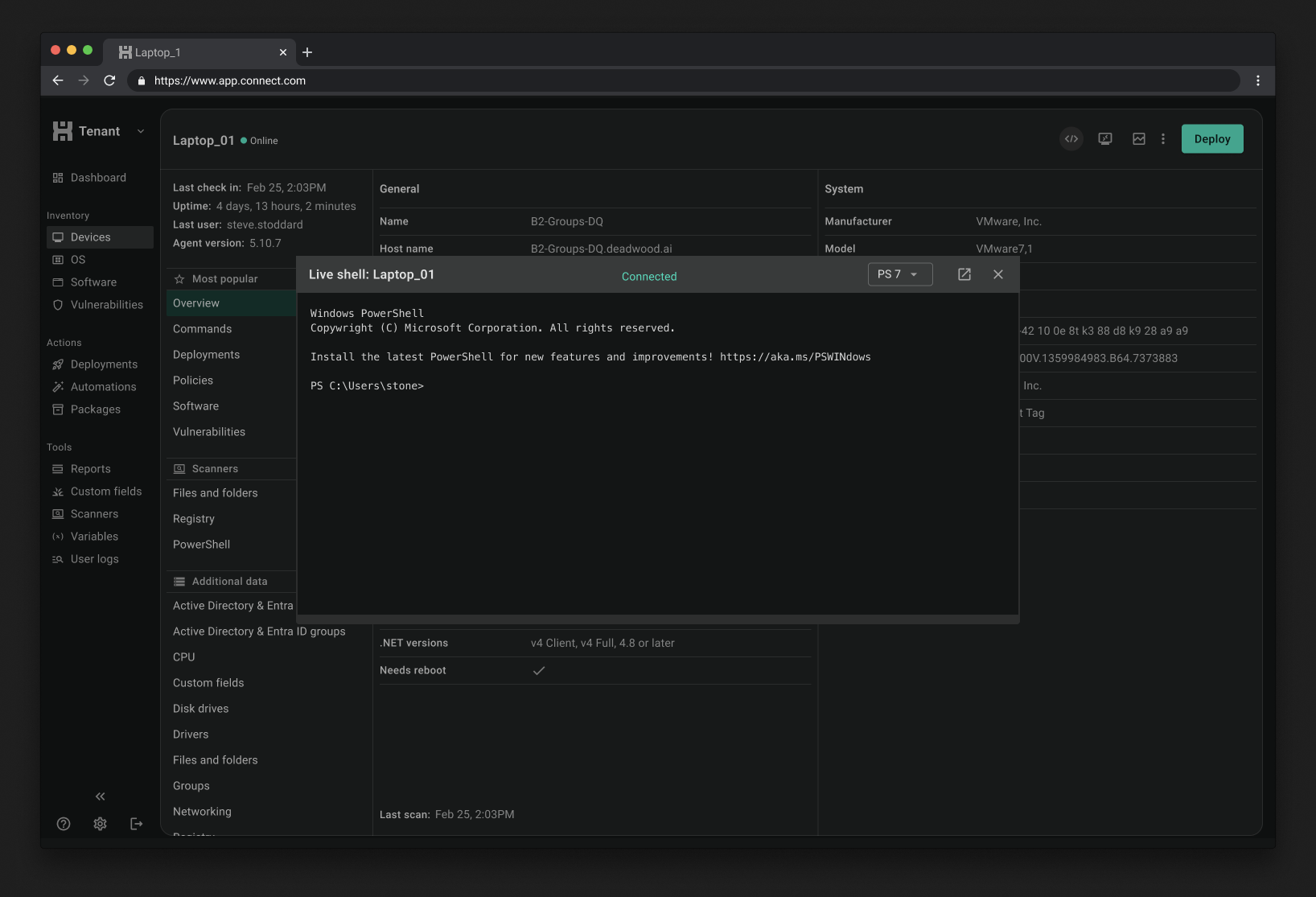
Live actions get their own home
I split the device page by what you're doing. The left menu holds information about the device, things that don't change very often. The Live Action Center in the top right holds things you do on the device right now, like Remote Desktop, Processes, and now Live Shell and File Explorer. That's why Live Shell opens as a window over the device page (with a pop-out to its own tab) instead of as another page in the menu. It feels like you're working on this device right now, not reading about it.
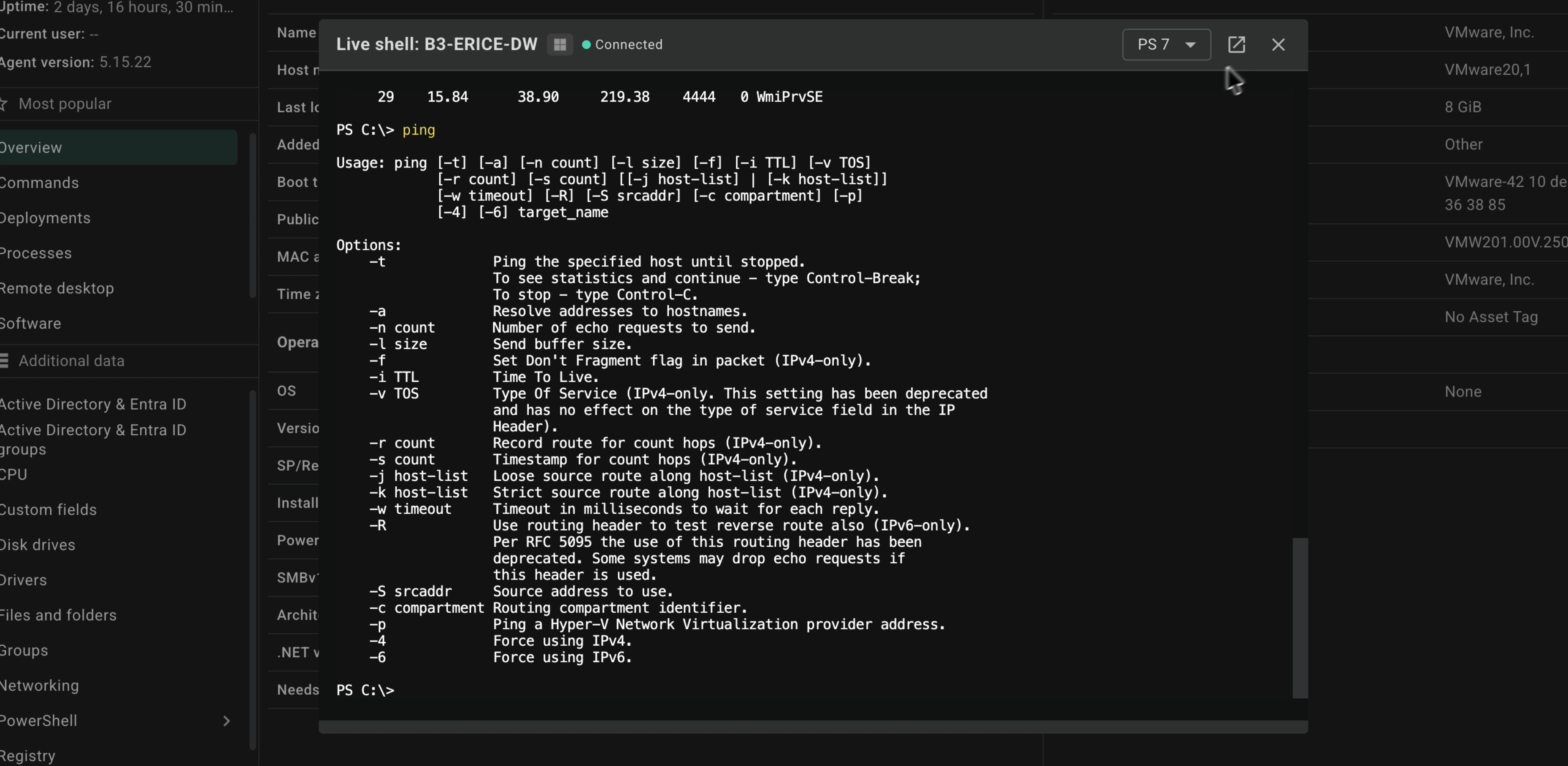
A terminal that can drop mid-command
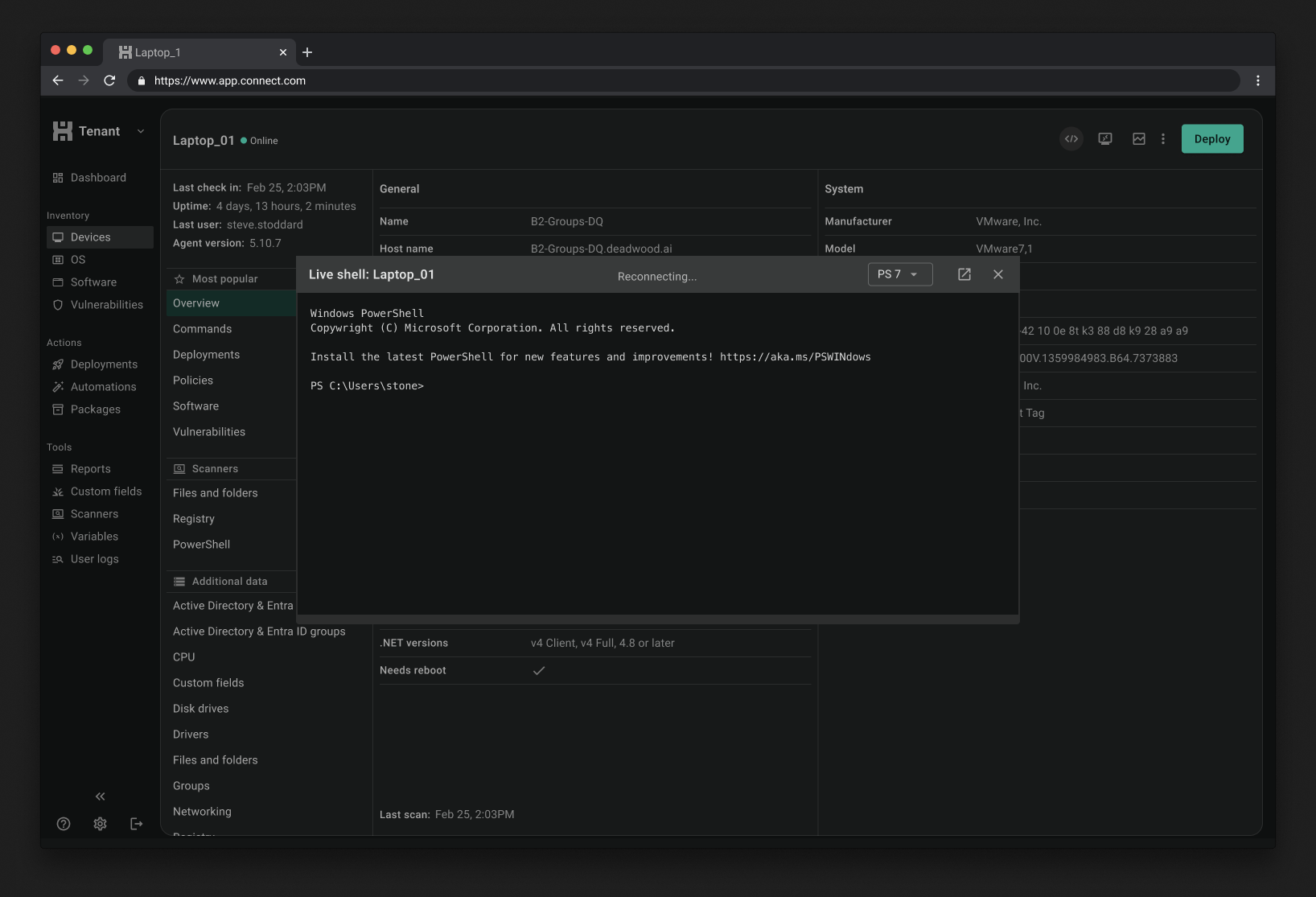
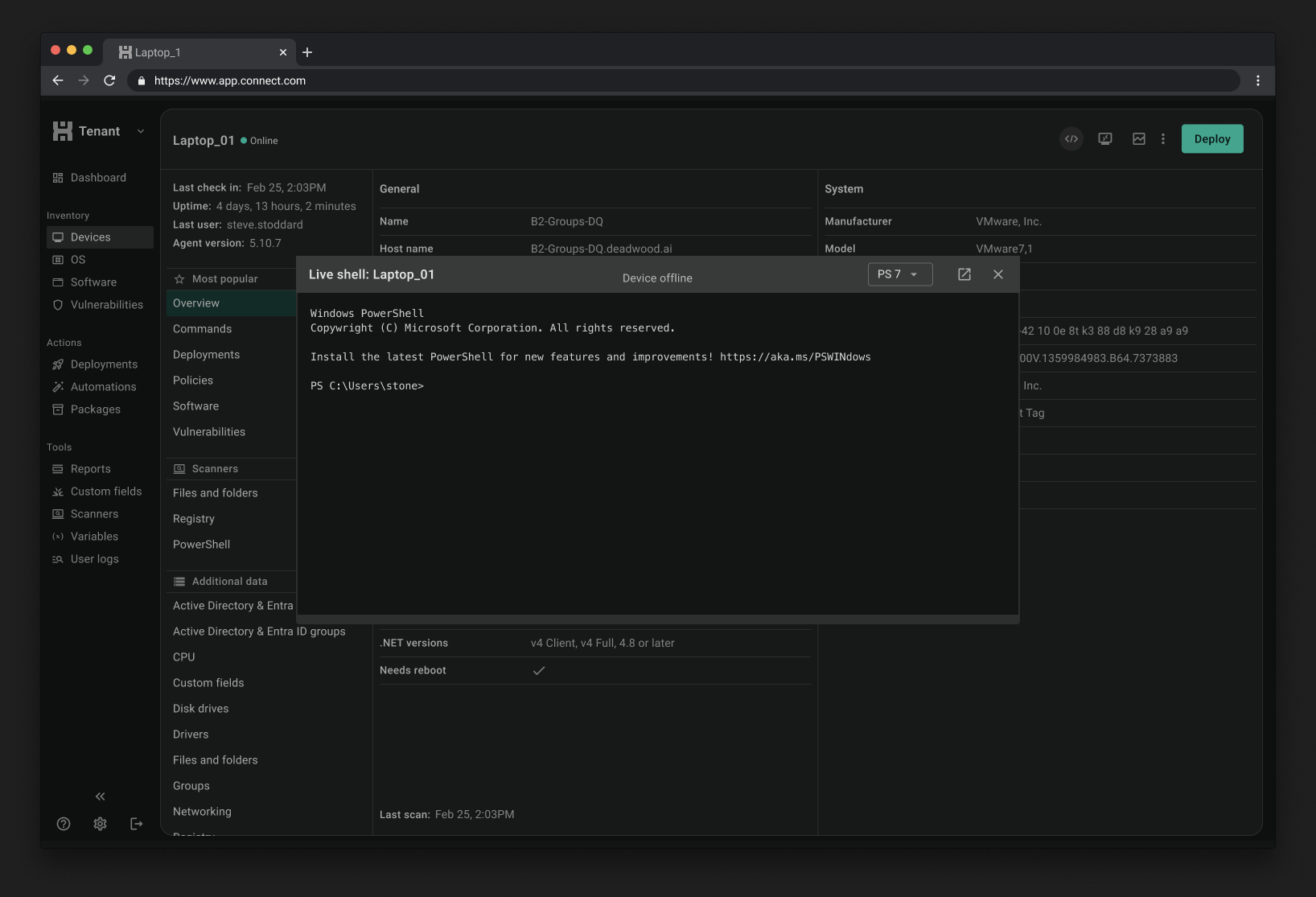
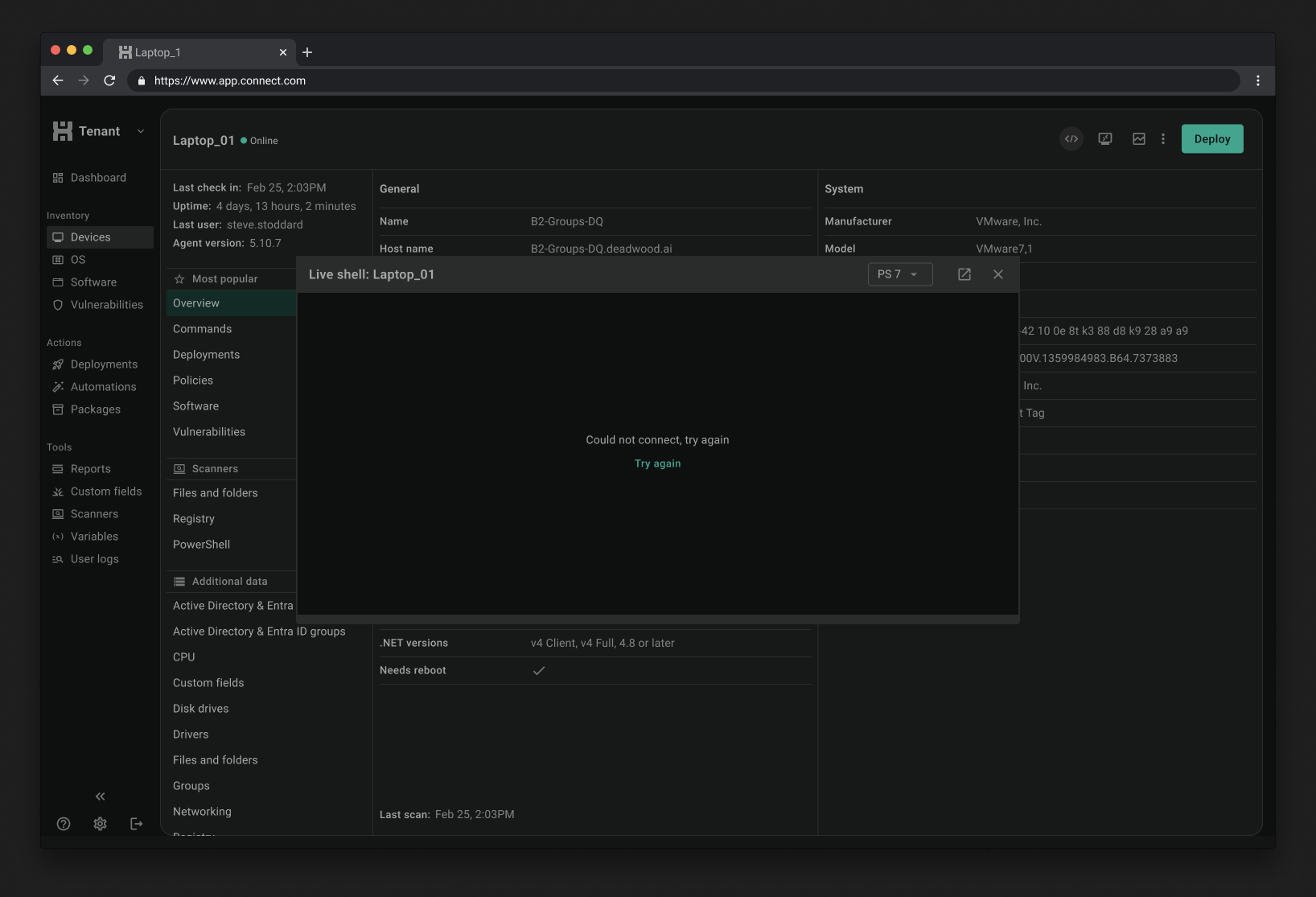
A real terminal sits there until you close it. Ours runs over a live connection that can drop when a device goes offline or the network hiccups, so I designed every state a session can be in: connected, reconnecting, device offline, and could not connect. I also worked through the lifecycle. Sessions warn you before they time out, and only the admin who started a session can resume it, because opening someone else's session would be jarring. Instead of a badge showing who has a session open, we let the audit log track it.
File Explorer didn't need to be Finder
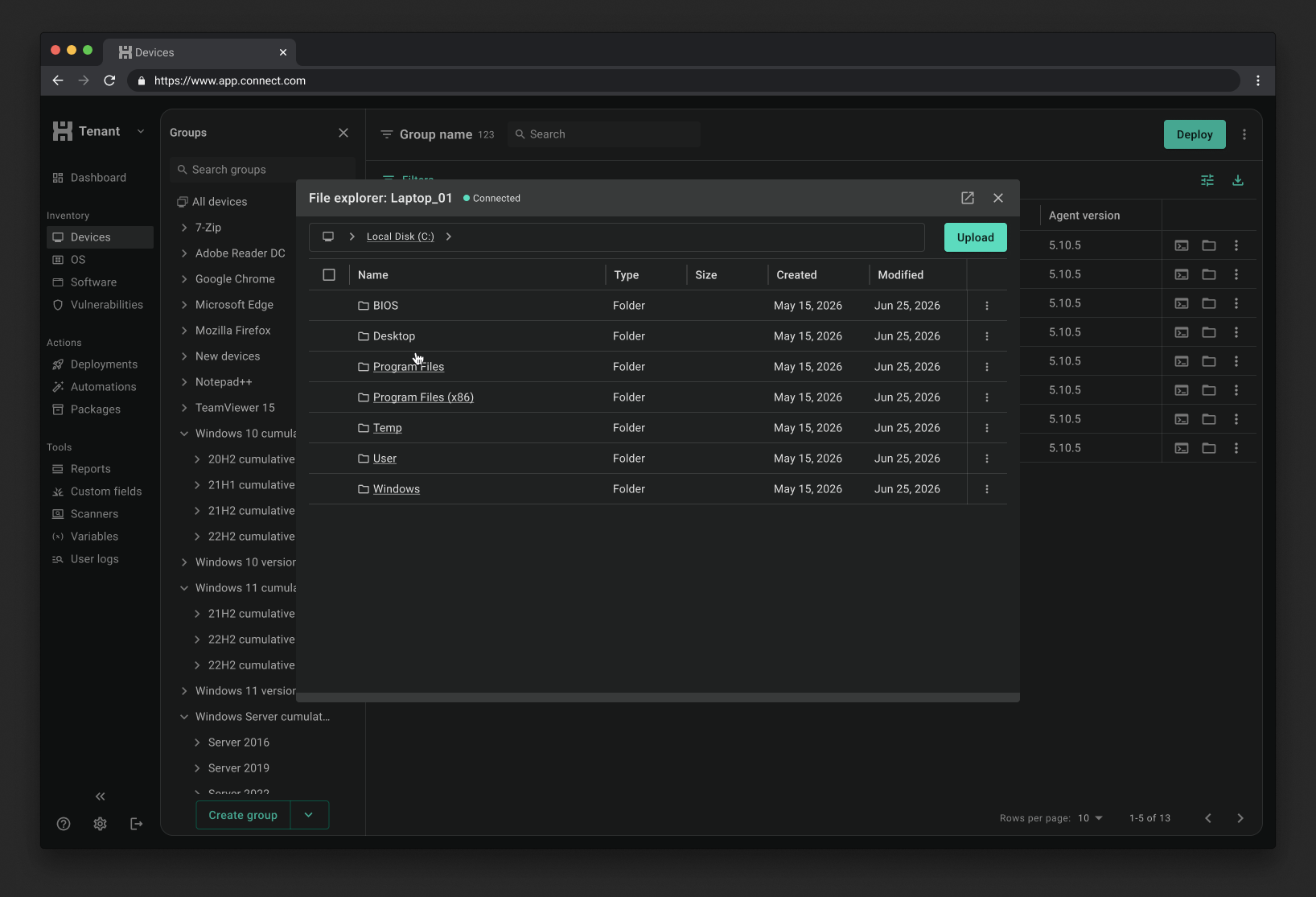
File Explorer runs on the same live connection, so it picked up the same patterns. It also picked up a scope problem: admins use Finder and Windows Explorer every day, and v1 couldn't match their search, filtering, or editing. In a demo of an inline text editor concept, one admin pointed somewhere else. Upload and download mattered more to him, especially for large driver files. So v1 became browse, upload, download, and search across every drive on the device, with editing saved for later.
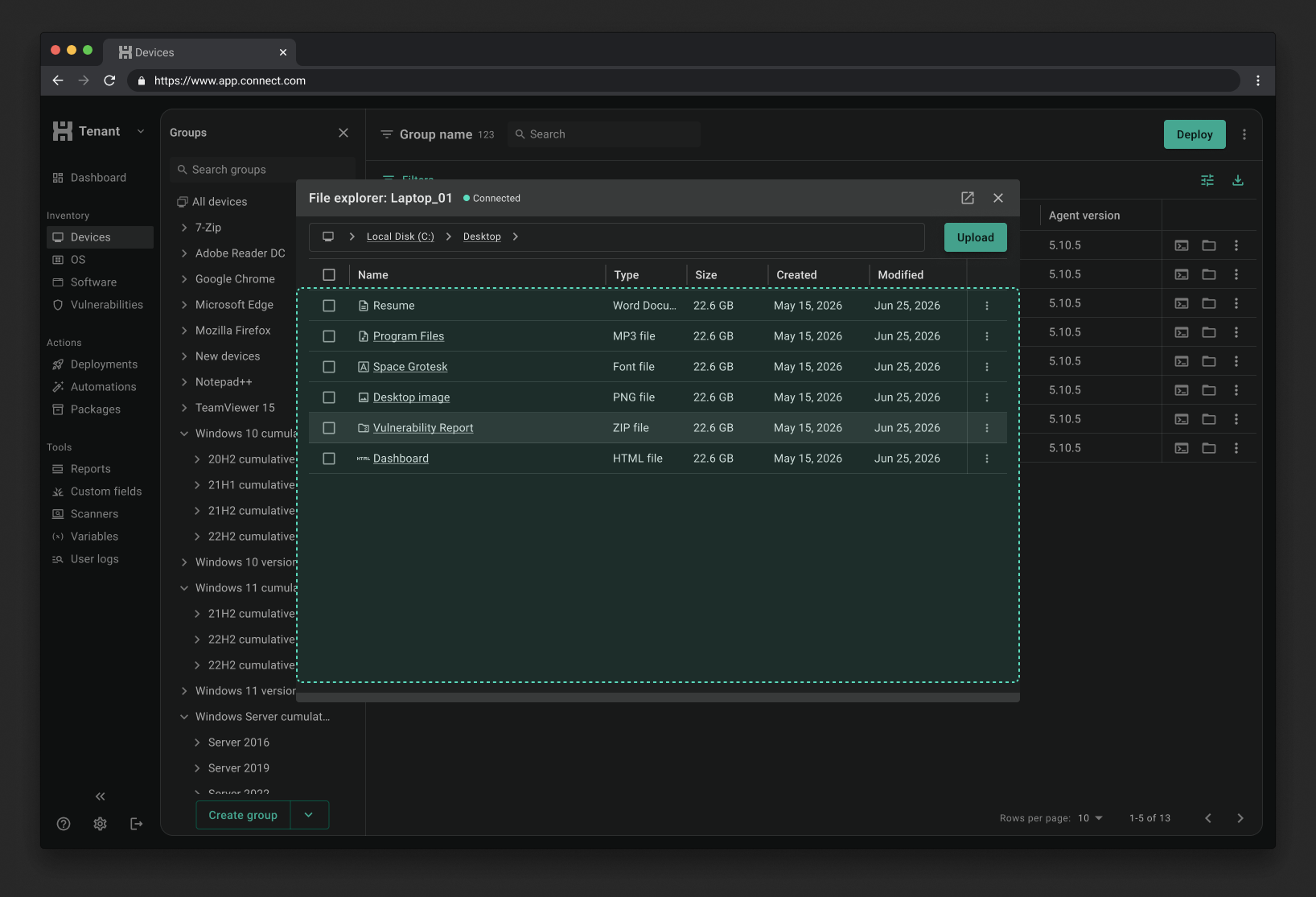
A very good screwdriver
Before handing it to engineering, I tested the flow with our internal IT team, a senior engineer, and on customer calls to see if the smaller scope held up. It did, with a few UI changes. One customer said it best on a call: "Who gets excited about a screwdriver? Maybe a few weird people... This is a solid screwdriver." That was the bar I was designing for.
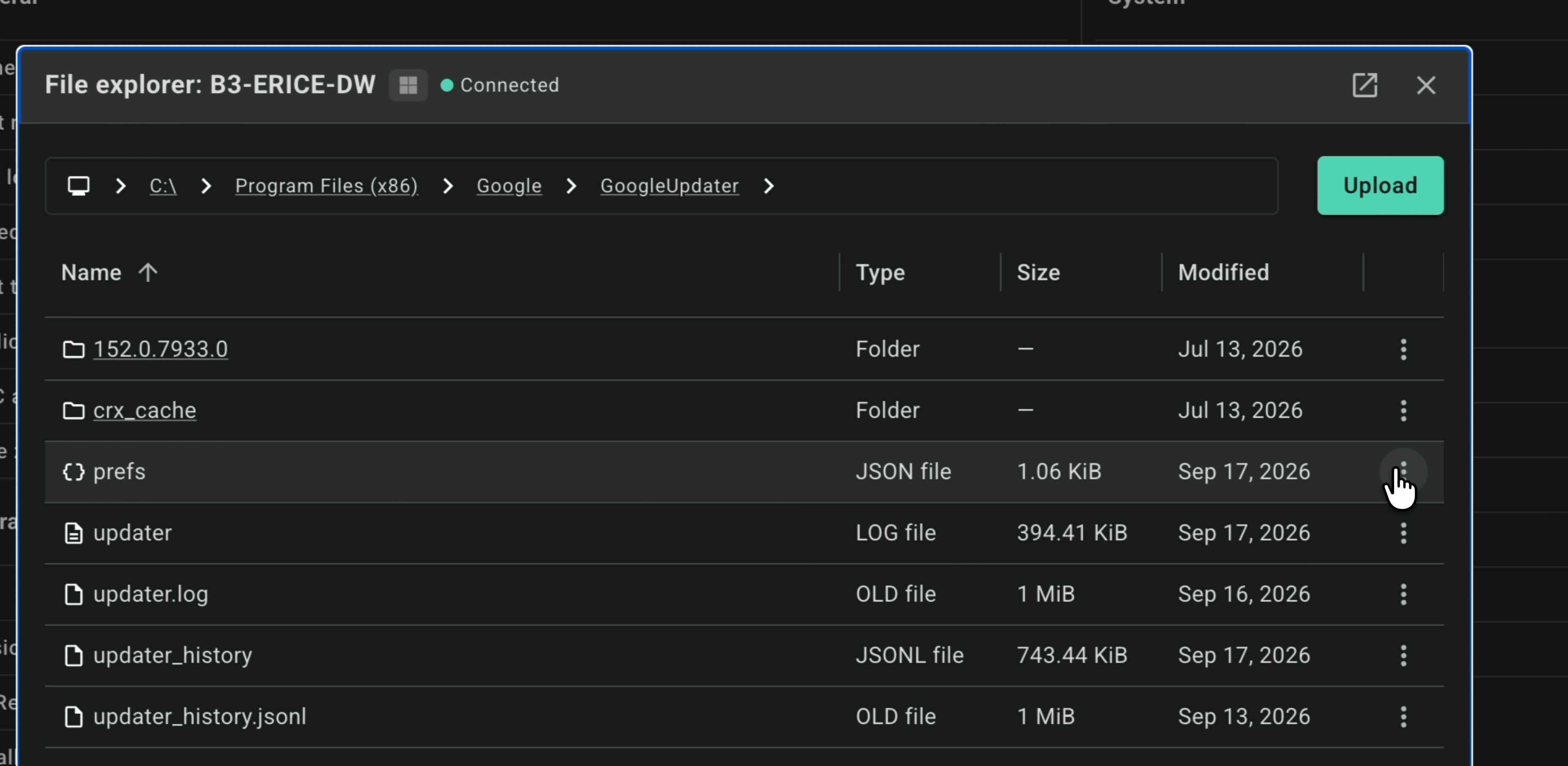
What I only caught once it was real
Once Live Shell was running in a real browser, I did a design review and filed tickets for what didn't hold up. Our engineer flagged that the terminal's default colors were hard to read, so I moved us to GitHub's terminal theme after checking contrast on both light and dark backgrounds, and asked for the colors to become design tokens. When a session was reconnecting, a loading skeleton hid everything the admin had already run, so I changed it to keep their work on screen. The timeout alert also offered "Retry" for a session that was already gone. That was a design mistake on my end, so it became "Start new session."
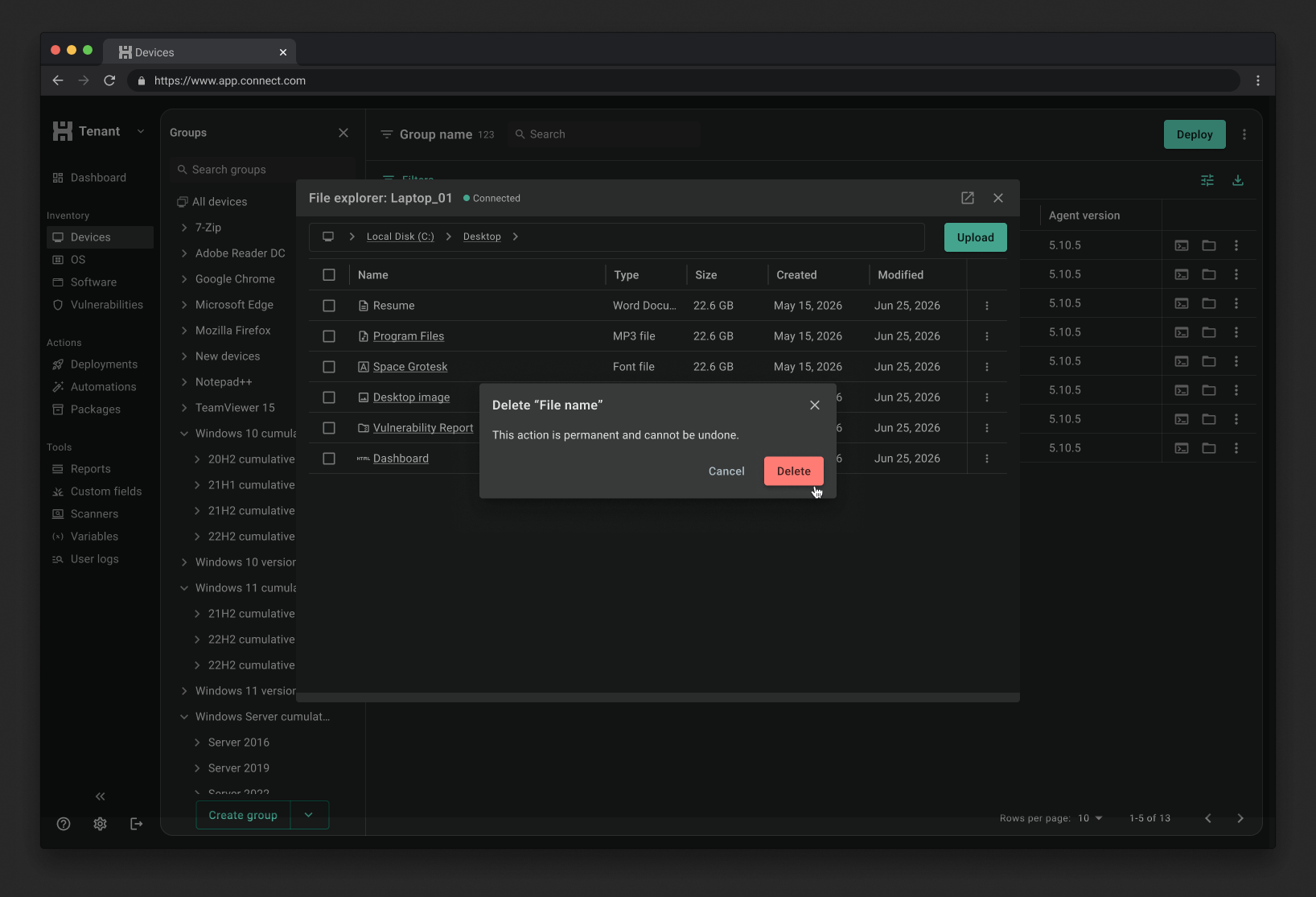
We held back delete. Users noticed.
Deleting files on someone's device without them knowing is the riskiest thing File Explorer does, so whether it belonged in v1 went back and forth. I designed it with a confirmation warning that shows every time, with no "don't show this again" option. It got deprioritized and didn't make early access. It became the number one request. It's going in for general availability, and if I did this again, I'd push to get file and folder deletion into v1 from the start.
See it in action
A walkthrough of Live Shell and File Explorer from the early access announcement.
Results
Impact & Outcomes
as of July 2026
2,365
admins launched a Live Shell session
Across 11,213 session attempts. About 13% failed to connect, which is exactly why the reconnecting and could-not-connect states mattered.
2,276
admins opened File Explorer
1,275 downloads and 793 uploads so far, inside a v1 scope built around what admins needed on day one.